 Squirrel X
Try Squirrel X.
Risk-free.
Squirrel X's order book, heatmap, order flow charts and trading journal, in a trial version for Windows. It starts right away on a simulated feed with no login, or on the live market with your own Rithmic account.
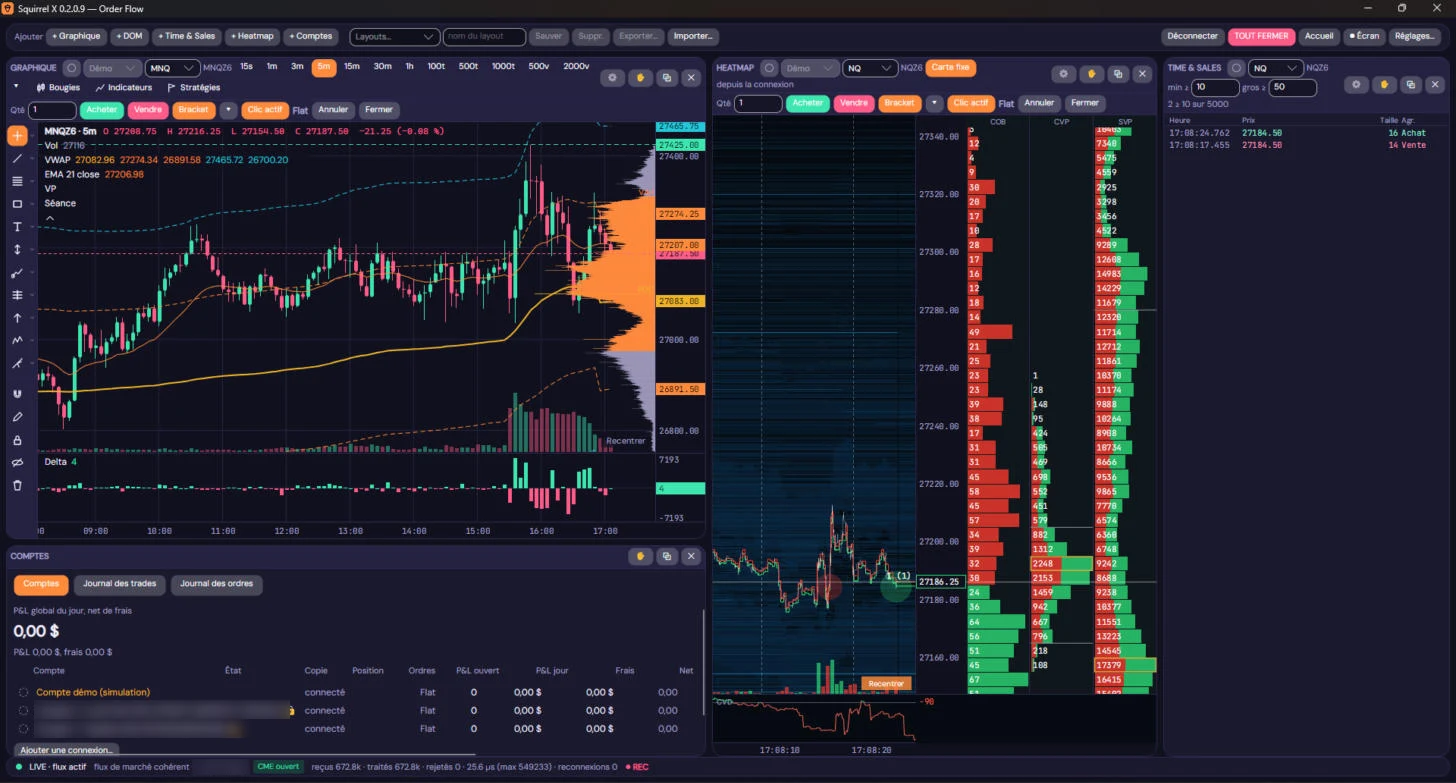
The platform: chart, heatmap and Time & Sales side by side.
Two ways to try it
Either way, you trade on the demo account: no real money is at stake.
The demo account, in one click
No network, no login: a simulated feed runs inside the app, to explore the interface, set up your panels and place your first click orders. Its order book is simulated.
With your Rithmic account
Connect your Rithmic login, from your prop firm or Rithmic Paper Trading: prices, book and trades become the live market's, and the demo account trades on those real prices.
The Academy included
Short lessons to get started with the platform and read order flow, with quizzes and a button that opens the real panel.
The order book that talks
The same DOM as the full version: click trading, and a column that tells what is happening in the book.
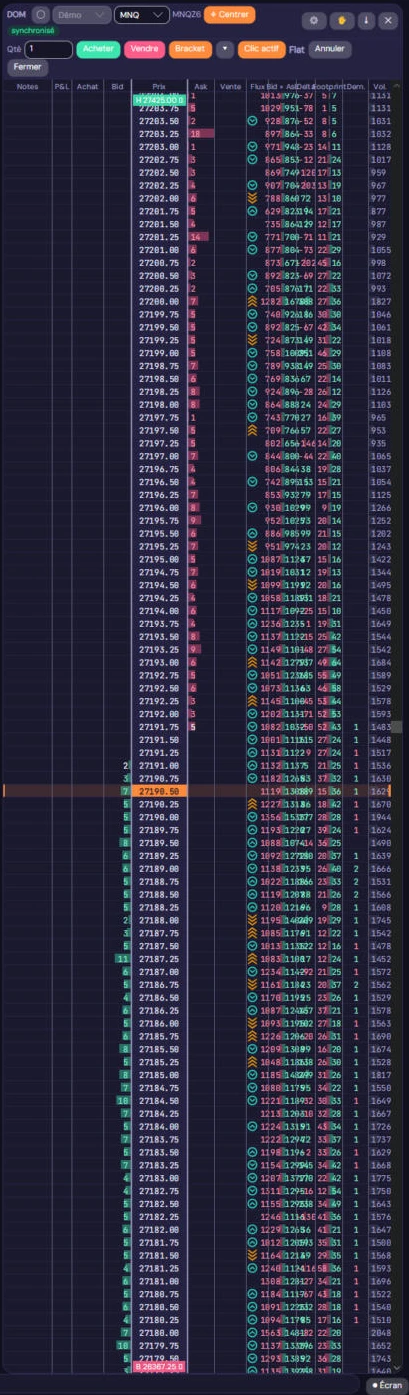
- Click tradingBuy and sell in the book, stop and target brackets, orders dragged with the mouse, Flat and cancel in one gesture.
- Book flowIcebergs, sweeps, absorption, walls, spoofing, trapped buyers or sellers: each act has its icon and an explanation on hover.
- What traded at each priceSession Bid × Ask and delta, footprint of the current candle, volume.
- Set up your wayColumns, colors, clicks, row height: everything is adjustable, from a clean ladder to full analysis.
Heatmap and order flow charts
Liquidity over time, and charts built to read the auction.
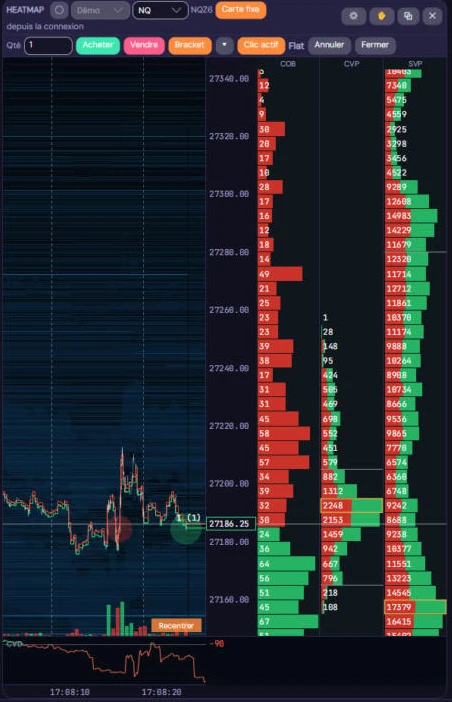
- Order book heatmapEvery book level second by second, trades as bubbles on top, CVD and volume columns on the right.
- Footprint and imbalancesSells × buys per price, delta, stacked imbalances.
- Volume profile, VWAP, deltaSession, anchored and composite profiles, VWAP and bands, CVD and divergences.
- Nearly 100 indicatorsMoving averages, Bollinger, RSI, pivots, session levels, Deep Trades… with their style settings, plus drawings and alerts.
Your trading journal
Every demo account trade goes into the journal on its own: statistics, PnL calendar, equity curve, notes, and a session card to share.
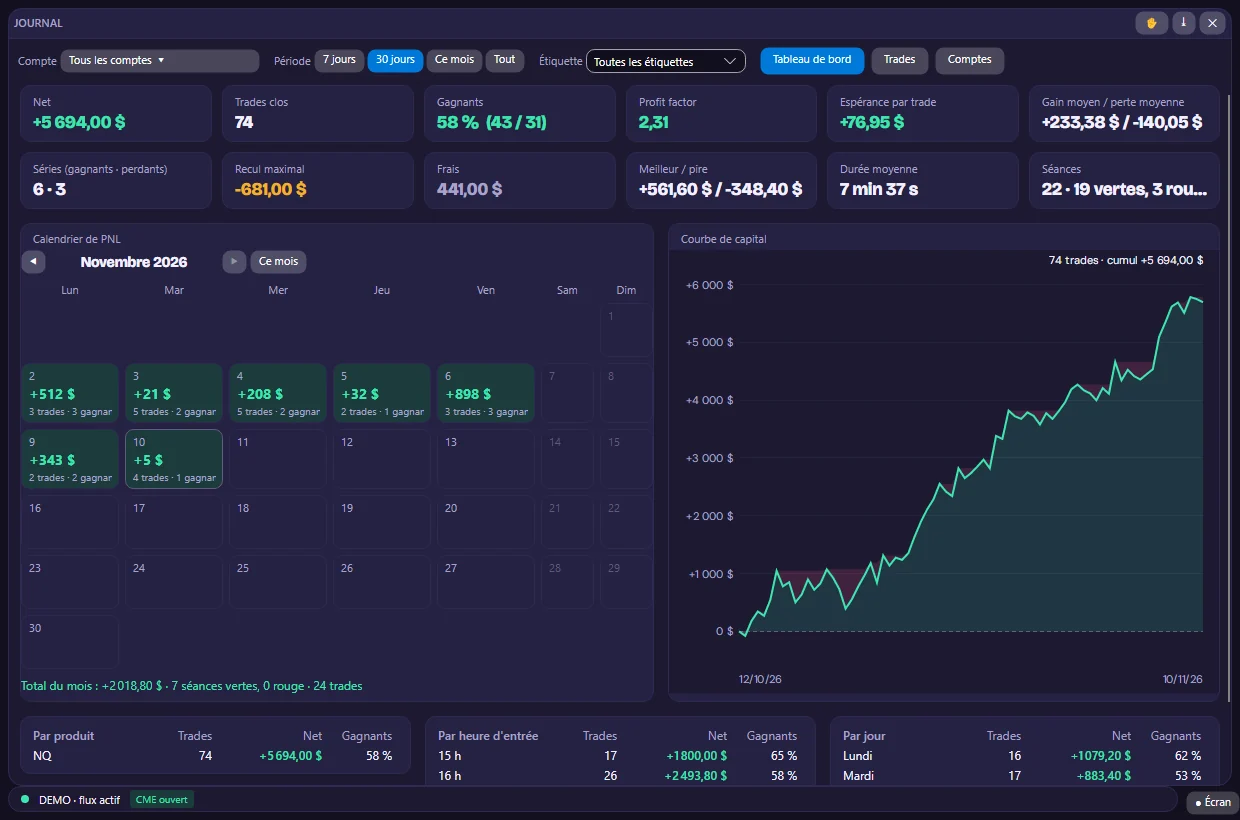
Dashboard filled with a month of sample trades on the demo account.
Get started in three steps
- Download the fileA single .exe, put it wherever you like: nothing to install, nothing else to download.
- Run itThe app has no code-signing certificate yet: Windows may show “Windows protected your PC”. Click More info, then Run anyway.
- Pick your marketOn the home screen, the Demo account card starts the simulated feed; the Rithmic card connects you to the live market.
The demo updates itself when a new version comes out. Its settings are kept apart from the full version's.
What the full version adds
The demo has most of the platform. Reserved for the full version:
- strategies replayed on the chart;
- GEX levels and the Options module;
- cash charts (QQQ, NDX, SPX, SPY, VIX, VXN);
- Replay mode, to trade a past session again;
- long history from DxFeed sources, and instruments beyond the eight main CME futures (NQ, ES, GC, CL and their micros).
Ready to read the flow?
SHA-256 checksum
cc7abe18070ada7777c5b526d85902549bac71c0c627c1e6a897e231d287e14f